Underwater Lightroom Mastery
Hands-On Lightroom Training Built Around Your Underwater Photographs
Underwater Lightroom Mastery is my live, small-group training program for underwater photographers who want to move beyond simply knowing Lightroom tools and become more confident in deciding what their own photographs actually need.
The next cohort is currently being developed, with an even stronger emphasis on hands-on practice, participant photographs, personal feedback, and guided decision-making.
If you would like to be among the first to hear when dates and details for the next Underwater Lightroom Mastery cohort are announced, join the priority list.
Why Your Underwater Edits Still Feel Inconsistent
You may already know Lightroom well.
You know where to find White Balance, Exposure, Clarity, Color Mixer, Masking, and many of the other tools that can improve an underwater photograph.
You may even have collected plenty of Lightroom tips, watched tutorials, and read articles about how those tools work.
But knowing the tools is not the same as knowing what your photograph needs.
That is where many underwater photographers begin second-guessing themselves:
Should I fix the color first?
Is this really an Exposure problem?
Does the photograph need more Presence, or have I already gone too far?
Should I create a Mask, or is the global edit still unfinished?
Why did this approach work on one photograph but not the next?
When is the edit actually finished?
The result is often more adjusting, more backtracking, and less confidence.
Underwater Lightroom Mastery Is Designed to Close That Gap
This is not about giving you another collection of Lightroom information.
It is about learning how to apply what you know to your own photographs.
The program is built around The Consistent Underwater Editing System:
White Balance → Exposure → Presence → Color → Masking → Final Adjustments
and the decision-making framework:
Diagnose → Decide → Move On
But the real work happens when we apply those ideas to actual underwater photographs.
You will practice identifying what an image needs, make an editing decision, receive feedback, and learn why that decision worked or where it needs to change.
The goal is not to make you edit like me.
The goal is to help you reach the point where you can look at one of your own underwater photographs and confidently say:
“I know what this image needs next.”
What Underwater Lightroom Mastery Is Designed to Help You Do
The goal is not simply to make you more familiar with Lightroom.
It is to help you make better editing decisions with greater consistency and less second-guessing.
You will work toward being able to:
Diagnose the photograph before you start adjusting it
Recognize the main problem first, rather than immediately reaching for sliders.
Work through the editing process in the correct order
Understand which problem belongs in which step and how one decision affects the next.
Know when an adjustment is doing its job
Make a decision, evaluate the result, and avoid endless tweaking.
Recognize when a problem is global or local
Know when the overall edit still needs work and when Masking is the better solution.
Adapt the process to different underwater photographs
Use the same decision-making framework across reefs, divers, macro subjects, blue water, wrecks, available-light photographs, and strobe-lit scenes.
Develop greater consistency without making every photograph look the same
Build a dependable process while still allowing each photograph and your own visual style to guide the final result.
Finish photographs with more confidence
Spend less time revisiting earlier decisions and more time knowing when the photograph has reached the point where you can move on.
How Underwater Lightroom Mastery Works
Underwater Lightroom Mastery is designed around practice, feedback, and repetition, not simply watching lessons.
You will learn the editing process, apply it to real underwater photographs, receive guidance on the decisions you are making, and then practice those decisions until the workflow becomes more natural.
Learn the Decision
Each part of the program focuses on a specific stage of the underwater editing process and the decisions that belong at that stage.
The emphasis is not simply on where Lightroom tools are located or what they do.
It is on understanding:
What problem am I trying to solve?
Which part of the workflow owns that problem?
What adjustment is appropriate?
How do I know when it is working?
Apply It to Real Photographs
You will work with underwater photographs that present the kinds of challenges photographers actually encounter:
reefs, divers, macro subjects, blue water, wrecks, available light, strobe lighting, difficult color, uneven exposure, and local distractions.
Your own photographs will also be an important part of the learning process.
Get Feedback on Your Decisions
This is where Underwater Lightroom Mastery differs from simply reading another article or watching another tutorial.
When an edit is not working, we can look at the photograph together and ask:
What are you seeing?
What decision did you make?
Why did you make it?
Did that adjustment solve the problem?
What should happen next?
The purpose of feedback is not to tell you how I would edit the photograph.
It is to help you understand your own decisions so you can make them more confidently on the next photograph.
Practice Until the Process Becomes Familiar
Confidence comes from repetition.
You will apply the same decision-making process across different types of underwater photographs so that the workflow becomes something you can use without constantly second-guessing yourself.
The objective is simple:
Learn it. Apply it. Get feedback. Adjust. Repeat.
What the Next Cohort Is Being Built Around
The next Underwater Lightroom Mastery cohort is being refined around the part of the learning process that matters most: applying the system to real photographs and receiving useful feedback on your decisions.
Live Small-Group Instruction
The program will continue to use live, small-group sessions so there is time to explain the decision-making process, work through real underwater photographs, and answer questions as they arise.
Participant-Image Coaching
Your own underwater photographs will be an important part of the program.
Rather than only watching me edit my photographs, you will have opportunities to see how the process applies to images that you and other participants actually photograph.
Guided Practice Between Sessions
You will have focused opportunities to practice what you are learning on your own photographs.
The purpose is repetition, not busywork.
Live Questions and Support
The next cohort will include opportunities to ask questions, work through difficult editing decisions, and get help when a photograph is not responding the way you expected.
Session Recordings
Live training will be recorded so you can review important concepts and revisit discussions as you continue practicing.
Is Underwater Lightroom Mastery Right for You?
Underwater Lightroom Mastery is designed for underwater photographers who already know the basic Lightroom interface but still find themselves second-guessing their editing decisions.
It is a strong fit if you:
Understand the basic Lightroom interface and know how to make common adjustments
Want a more reliable way to decide what your photograph needs next
Sometimes get inconsistent results from similar underwater images
Find yourself revisiting earlier adjustments or overworking photographs
Have collected plenty of Lightroom tips but still do not have a repeatable workflow
Want feedback on your own underwater photographs
Are willing to practice between sessions and apply what you learn
This Program Is Probably Not for You If...
You are completely new to Lightroom and still need help learning where the basic tools are.
You are primarily looking for presets, one-click fixes, or shortcuts that replace understanding.
You want advanced Photoshop compositing or highly specialized retouching techniques.
Or you are looking for more information to collect without spending time applying it to your own photographs.
What You Do Need
You do not need to be a Lightroom expert.
You should be comfortable making common adjustments and willing to work with your own photographs.
Most importantly, you should want to become better at:
recognizing what the photograph needs, making a deliberate decision, evaluating the result, and confidently moving on.
That is the skill Underwater Lightroom Mastery is being built to develop.
The Underwater Lightroom Mastery Workflow Guide & Workbook
You will receive a practical reference guide and workbook built around:
White Balance → Exposure → Presence → Color → Masking → Final Adjustments
and the decision-making framework:
Diagnose → Decide → Move On
The guide is designed to stay beside you while you edit, helping you work through the process, think through your decisions, and reinforce what you are practicing during the program.
It is not a collection of slider recipes or presets. It is a tool for helping the decision-making process become more consistent and eventually more natural.
Be the First to Hear About the Next Cohort
The next Underwater Lightroom Mastery cohort is currently being refined.
I am using what I learned from this first launch, along with feedback from underwater photographers, to strengthen the program around the part that matters most:
hands-on practice, participant photographs, useful feedback, and better editing decisions.
If you would like to be among the first to know when the next cohort dates, format, and enrollment details are announced, join the priority list.
There is no obligation to enroll. The priority list simply makes sure you hear about the next cohort first.
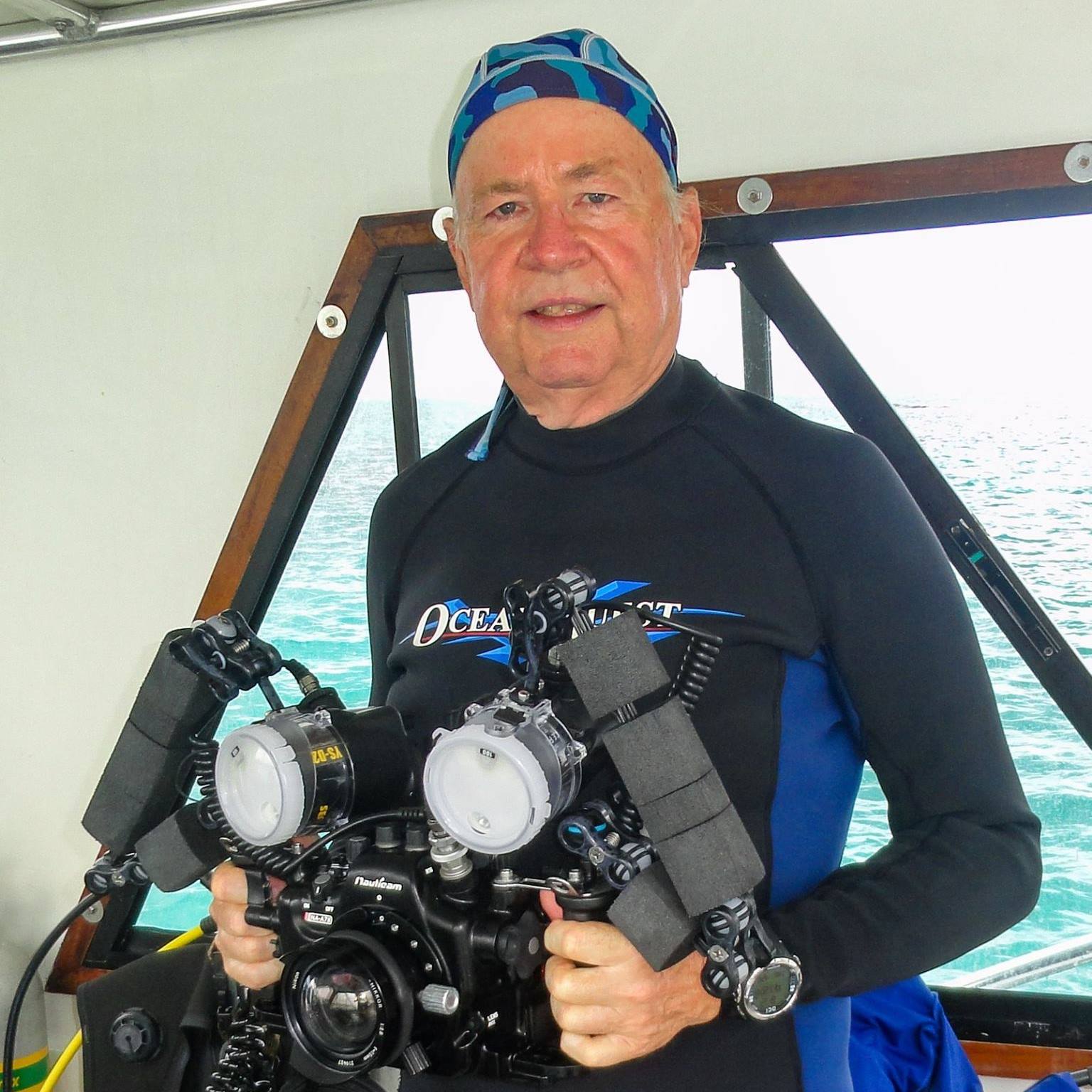
Why Learn With Bob Herb?
Underwater photography has been part of my life for more than 50 years.
With over 9,700 dives, I have spent decades photographing the underwater world and working through the same challenges every underwater photographer faces: lost color, difficult exposure, backscatter, low contrast, unpredictable water conditions, and photographs that do not always look the way the scene felt underwater.
Over time, I learned that better editing does not come from collecting more Lightroom tricks.
It comes from understanding what needs to happen first, what should happen next, and why each decision affects the ones that follow.
That experience became The Consistent Underwater Editing System.
My goal in Underwater Lightroom Mastery is not to turn you into someone who edits photographs exactly like I do.
It is to help you develop a dependable process that lets you make better decisions with your photographs and ultimately develop your own signature style.
That is what we will work on together in Underwater Lightroom Mastery.
What Other Underwater Photographers Are Saying
“I am considerably faster at culling those photos and editing the best of them than I was before I started working with Bob.”
— Jesse, North Chelmsford
Frequently Asked Questions
How experienced with Lightroom do I need to be?
You should already be comfortable with the basic Lightroom interface and know how to make common adjustments such as White Balance, Exposure, Contrast, Color, and Masks.
You do not need to be an advanced Lightroom user.
The focus of Underwater Lightroom Mastery is not simply learning where the tools are. It is learning when to use them, in what order, why you are using them, and when to move on.
Do I need Lightroom Classic, or can I use Lightroom or Lightroom Mobile?
The Consistent Underwater Editing System can be applied in Lightroom Classic, Lightroom, and Lightroom Mobile.
The interface, location of individual controls, and availability of some tools can vary between versions and devices, but the editing sequence and decision-making process remain the same.
White Balance → Exposure → Presence → Color → Masking → Final Adjustments
What kinds of underwater photographs can I work with?
You can work with the kinds of underwater photographs you actually make, including reef scenes, macro subjects, divers, wrecks, blue-water images, available-light photographs, and strobe-lit photographs.
The goal is to learn how the same decision-making process adapts to different underwater situations rather than relying on one formula for every photograph.
How will participant-image coaching work?
Participant photographs will be an important part of the learning process.
We will use real underwater photographs to work through editing decisions together, including photographs submitted by participants.
The purpose is not simply to watch me edit an image.
It is to understand what the photograph needs, why a particular decision is being made, whether that decision solved the problem, and what should happen next.
Will there be opportunities to ask questions and get help with difficult edits?
Yes.
The next cohort is being designed to include opportunities for questions, discussion, and help with photographs that are not responding the way you expected.
That support is an important part of turning the editing process into something you can apply more confidently on your own.
Will sessions be recorded?
The next cohort is being designed to include recordings of the live training so participants can review important discussions and concepts.
Final details about recording access will be provided when the next cohort is announced.
How much practice will be required between sessions?
The program will include focused practice using your own photographs.
The purpose is repetition, not busywork.
You will be encouraged to apply what you are learning often enough for the decision-making process to become more familiar and natural.
Specific expectations will be provided when the next cohort format is announced.
How long will I have access to the Workflow Guide & Workbook?
The Underwater Lightroom Mastery Workflow Guide & Workbook is designed as a practical reference you can continue using while you edit.
Final access and delivery details will be included with the next cohort announcement.
Ready to Stop Guessing What Your Underwater Photograph Needs Next?
You do not need more random Lightroom tips.
You need a process you can trust, practice on your own photographs, and eventually use without constantly second-guessing yourself.
The next Underwater Lightroom Mastery cohort is being refined around:
hands-on practice, participant photographs, guided decision-making, and useful feedback.
The goal remains simple:
Better, more consistent underwater edits in less time, with the confidence of knowing what to adjust next.
If you would like to be among the first to hear when the next cohort dates, format, and enrollment details are announced, join the priority list.
There is no obligation to enroll. Joining the priority list simply makes sure you hear about the next Underwater Lightroom Mastery cohort first.